Why don't website visitors book?
Because finding the right appointment takes too long, and there's no one to ask.
- People book when you're closed. In Zocdoc's 2024 data, 42% of appointments were booked outside standard business hours. That's the evening after work, when the phone goes to voicemail.
- They compare before they choose. In Zocdoc's 2025 report, patients looked at 21 providers on average before booking one. Your site gets a few seconds to show how to start.
- They'd book online, but few practices make it easy. In a July 2025 MGMA poll of US medical groups, 71% said fewer than a quarter of their patients schedule with digital tools.
- Most visits are on a phone. In October 2026, 51.95% of UK web page views were on mobile. A booking button that's fine on a desktop can be hidden below three screens of text on a phone.
- A contact form isn't a booking. Zuko's form data shows that only 9.09% of people who see a contact form submit it. "Fill in the form and we'll call you" asks a patient to wait for something they could have done themselves.
None of these needs more traffic to fix. They need a shorter path from "this practice looks good" to "booked".
New or returning: why the first question matters
New and returning patients come to your site for different reasons.
- A returning patient knows you. They want their next appointment, to change one, or the phone number. In Zocdoc's 2025 data, 84% of users who booked again in the same specialty went back to the same provider. These people are already won; don't make them read your "about us" page.
- A new patient doesn't know you yet. They want to know whether you treat what they need, what the first appointment involves, what it costs, and how to book it.
Many clinic websites give both the same "Book now" button, which opens a booking system with every appointment type and practitioner in one long list. The returning patient copes. The new patient sees "Initial assessment", "New patient consultation", "Assessment (60 min)" and "Follow-up" side by side, isn't sure which one is theirs, and leaves to "phone tomorrow". Often they don't.
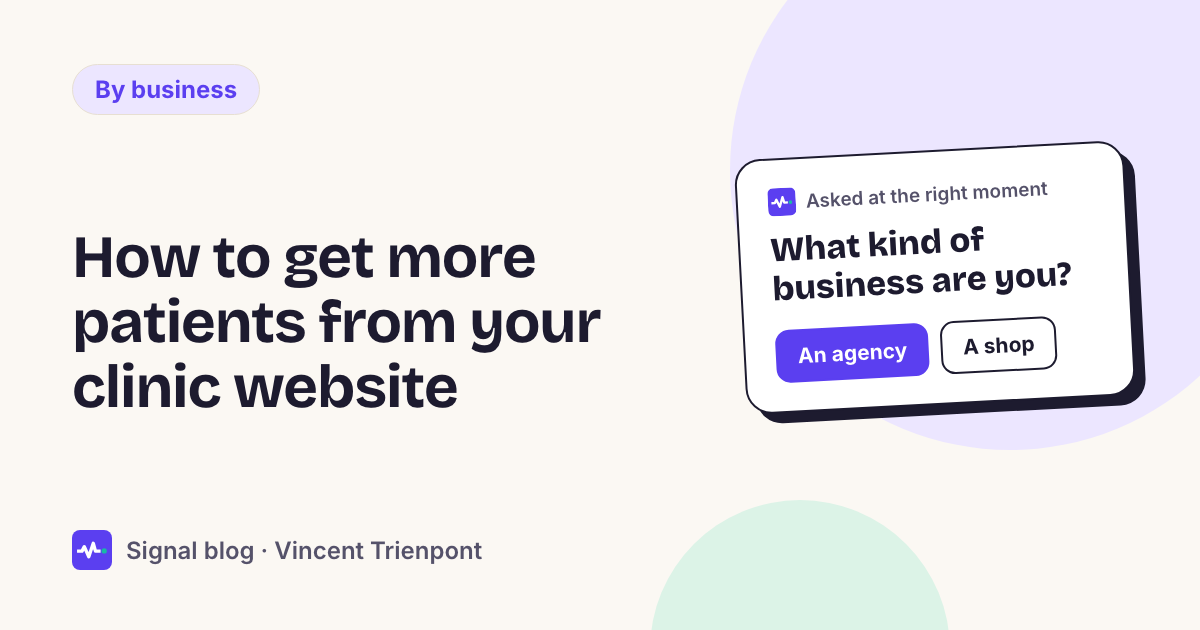
One question fixes it: "Have you been to us before?" with two answers to tap.
| Answer | What to offer |
|---|---|
| Yes, I'm a patient | A direct link to follow-up booking, a link to change or cancel, and the phone number |
| No, it's my first visit | A direct link to the first-appointment type, what to expect, the price, and a way to ask a question first |
You don't guess, and the patient doesn't have to work it out. You ask once, and the answer decides the link.
Seven fixes for a clinic website
Do them in order. Each takes 10 to 30 minutes.
1. Link to the appointment, not the booking system
Check whether your booking system can link straight to one appointment type or one practitioner. If it can, use those links. A "Book a first appointment" button should open the first-appointment booking, not a list of everything you offer.
2. Put the booking button where a phone shows it
Open your site on your own phone. Is there a way to book on the first screen of every page, without scrolling? If not, add one at the top, and repeat it after each section of a long page.
3. Say what the first appointment is
New patients want three answers before they book: how long it takes, what happens, and what it costs. Put them on one short "Your first visit" page and link to it from the new-patient answer. Keep it practical. It's not the place for clinical claims.
4. Give evening visitors something to do
If you can't offer online booking for first appointments, offer the next best thing: "Call me back in the morning", with a time they choose. It's better than voicemail, and better than a form that promises a reply "within 2 working days".
5. Send returning patients straight to their links
On the home page, a small "Already a patient?" link with follow-up booking and changes. This also takes pressure off your phone line, which then has time for the new patients who do call.
6. Check your Google Business Profile booking link
Many patients never reach your site: they find you on Google Maps. Google lets you add booking links to your Business Profile, up to 10 per category, and choose a preferred one. Make sure the preferred link goes to the new-patient booking, not to your home page.
7. Don't block the page with a pop-up
If you add a question to the page, keep it small. Google's guidance says not to cover the main content with dialogs, especially on mobile; a small card or a line in the page does the job. A full-screen "Book now!" box the second someone lands is the quickest way to lose them.
What about patient privacy?
Keep the website questions about the kind of appointment, never about symptoms or health.
Under UK GDPR, data concerning health is special category data, with stricter rules. The ICO's guidance is clear that appointment information can count: a series of physiotherapy appointments can reveal something about a person's health. So:
- Ask "Have you been to us before?" or "What kind of appointment do you need?", not "Where does it hurt?".
- Let the booking system you already use handle the booking and anything clinical. Your website question only decides which link to show.
- Ask for contact details only when someone wants something from you, like a call back, and say what you'll do with them.
This isn't legal advice. If you're unsure, ask your data protection officer or adviser.
A worked example
This is an illustration, not a customer story. A physio practice with two clinicians gets about 1,200 website visits a month. Its "Book now" button opens the booking system's home page with nine appointment types. The practice adds one question, shown to visitors on their second page: "Have you been to us before?"
- "Yes": shows "Book a follow-up" (direct link), "Change or cancel" and the phone number.
- "No, first visit": shows "Book an initial assessment" (direct link to that one type), a link to the first-visit page with price and duration, and "Call me back in the morning".
Visitors on the "Fees" page or a treatment page who haven't answered see the same question once. Nobody is asked twice. The booking system and the clinic's records stay as they were; only the path to them changes.
Where Signal fits
Signal for clinics does this on your own website. A small script reads each visit (pages read, where the visitor came from, whether they've been before) and, when it's unsure, asks one of your questions with answers to tap, such as "Have you been to us before?". Then it shows the next step you set for that answer: a booking link, opened in a pop-up or a new tab, a call back, or a question to your team. There's nothing to connect if your booking system has booking links.
You write the questions, so nothing medical is asked unless you ask it. Signal never stores IP addresses, and you can run it in shadow mode first: it shows what it would have asked and offered on your real traffic, without visitors seeing anything. Plans start at €39 a month; see pricing.
When this isn't the answer
- You're fully booked for weeks. More bookings won't help. Use the question the other way: send new patients to a waiting list, and returning patients straight to their own links.
- Most patients come through the NHS, insurers or referrals. Then the referral route matters more than your website.
- Your booking system can't link to one appointment type. Fix that first, or change systems; a question can't make a long list shorter.
- You have very few visits. If the site gets a few visits a week, the question won't change much. Look at where patients find you first; for that, see website traffic but no leads.
Questions people ask
How do I get more new patients without spending more on ads? Make it easier for the people already on your site to book: a booking button on the first screen of every page on a phone, a direct link to the first-appointment type, a clear "first visit" page, and a way to ask for a call back when you're closed.
Should a clinic website have online booking? If you can, yes. Many patients look in the evening, when nobody answers the phone. Link to the exact appointment type, not the booking system's home page.
Is it safe to ask patients questions on our website? Ask about the kind of appointment, not about health. Health information is special category data under UK GDPR, and your website doesn't need it to show the right booking link.