1. Are the visitors local people with a problem?
Open Google Search Console, go to the Performance report and look at the Queries tab, then Pages. You'll see the searches people typed to find you and the pages they landed on.
Look for two patterns:
- DIY searches. "How to bleed a radiator" or "why is my toilet running" bring a lot of visits from people who'll fix it themselves. They're not bad visitors, but they were never going to call.
- The wrong places. A plumber in Leeds getting visits from people searching for plumbers in another city has a traffic number, not a customer list. The Countries tab helps too, if you get visits from abroad.
If most of your traffic is one old how-to post, take your total with a pinch of salt. Look at the visits to your service, area and contact pages: that's the real number.
The fix: make a page for each service you want more of, and one for each area you cover, written the way customers search: "boiler repair in Headingley", "emergency plumber Leeds". If you pay for ads, send each ad to the page that matches it, not to your home page.
2. Can someone call you with one tap?
In October 2026, 51.95% of page views in the UK were on a mobile phone. And someone with water on the kitchen floor is unlikely to be at a desk.
Take your own phone and open your website. Check:
- Is the number at the top of every page, without scrolling or opening a menu?
- Does tapping it start a call? A number in a picture, or typed as plain text, can't be tapped. On the web it needs to be a "tel:" link; whoever built your site will know.
- Is it the right number, one you answer, and not the old landline from before you moved?
- Does the page load quickly? Google's guidance is that the main content should appear within 2.5 seconds. Test your home page with Google's free PageSpeed Insights.
The fix: a "Call now" button at the top of every page on mobile, plus the number written out in full for people who'd rather save it. If you use WhatsApp for work, add it next to the number.
3. Are the calls happening somewhere else?
Sometimes the phone is ringing, just not because of the website. Two places to look:
- Your Google Business Profile. Many people never open your website: they search, see your profile on the map, and tap call there. In the profile's Performance report, Calls counts taps on the call button and Website clicks counts taps through to your site. If calls are healthy and website clicks are low, your website isn't the problem; your profile is doing the work.
- Missed calls. If you're on the tools all day, look at your missed calls and voicemail over the last two weeks. A call you didn't answer looks the same as no call at all, and someone with a leak may simply ring the next plumber on the list.
The fix: if calls go unanswered, give people another way to reach you that doesn't need you to pick up straight away: WhatsApp, a call-back request, or a text. And say how fast you reply: "We call back within the hour, 7am to 9pm."
4. Does the page say where and when you work?
Before someone calls, they want to know two things: do you cover my area, and can you come soon? If the website doesn't say, many won't ask. They'll go back to Google.
Check your home page and your main service pages for:
- The towns or postcodes you cover, written out, not just a map.
- Your hours, and whether you do emergency call-outs evenings and weekends.
- A rough idea of cost. "Call-out from £…" or "Boiler service from £…" saves both of you a call that was never going to work.
The fix: one short block near the top: "Covering Leeds, Horsforth and Wetherby. 24-hour emergency call-outs. Boiler service from £…". Your own prices go there; you know them better than any template.
5. Do the emergency and the planned job get the same page?
A plumbing website has two very different visitors:
- The emergency: a burst pipe, no hot water, a blocked toilet. They want someone today. They'll call the first plumber who looks like they'll answer.
- The planner: a new bathroom, a boiler swap, a radiator move. They're comparing three quotes and they're in no hurry. Many are reading in the evening and don't want to ring at 10pm.
If your site gives both the same "Contact us" form, you lose both. The emergency won't wait for a reply to a form, and the planner doesn't want a phone call yet.
The fix: two doors. On emergency pages: "Call now" and "WhatsApp us a photo", big and at the top. On installation pages: "Get a quote" and "Call me back at a time that suits you". If you don't have separate pages yet, put both doors on the home page with a plain label: "Emergency? Call now" and "Planning some work? Get a quote".
6. Does the quote form work, and is it worth filling in?
Send yourself a test from your phone, the way a customer would. Did it arrive? Check the spam folder too. Forms break quietly after a plugin update or a changed email password, and nobody tells you.
Then look at what the form asks. Zuko, which measures forms on many websites, found that only 9.09% of people who see a contact form submit it, the lowest of any type of form they track. Of the people who start a form, 34% don't finish. Most people never begin, because a blank form with a "Message" box feels like work.
The fix: cut the form to what you need for a first reply: name, phone, postcode and what needs doing. Make "what needs doing" a few options to tap (a leak, the boiler, a blocked drain, a new installation) rather than an empty box. And offer a route for people who'd rather send a photo: for a plumber, a picture of the problem often says more than a paragraph.
7. Does anything on the page say you're safe to let in?
People are inviting a stranger into their home. Before they call, they look for signs that you're real and qualified:
- Your Gas Safe number, if you do gas work. In the UK, anyone paid to work on gas appliances in a home must be Gas Safe registered, and customers can check an engineer's licence number on the register or by text.
- Reviews, with a link to where they're posted, not only quotes you picked.
- A real name and face, a business address or at least the area you're based in, and photos of your own work rather than stock pictures.
The fix: put your registration number and your review score near the call button, and an "About us" line with your name on the home page.
A worked example: one question, two doors
This is the example plumbing set-up that comes with Signal, not a customer story. It shows how fixes 3, 5 and 6 can work on one site.
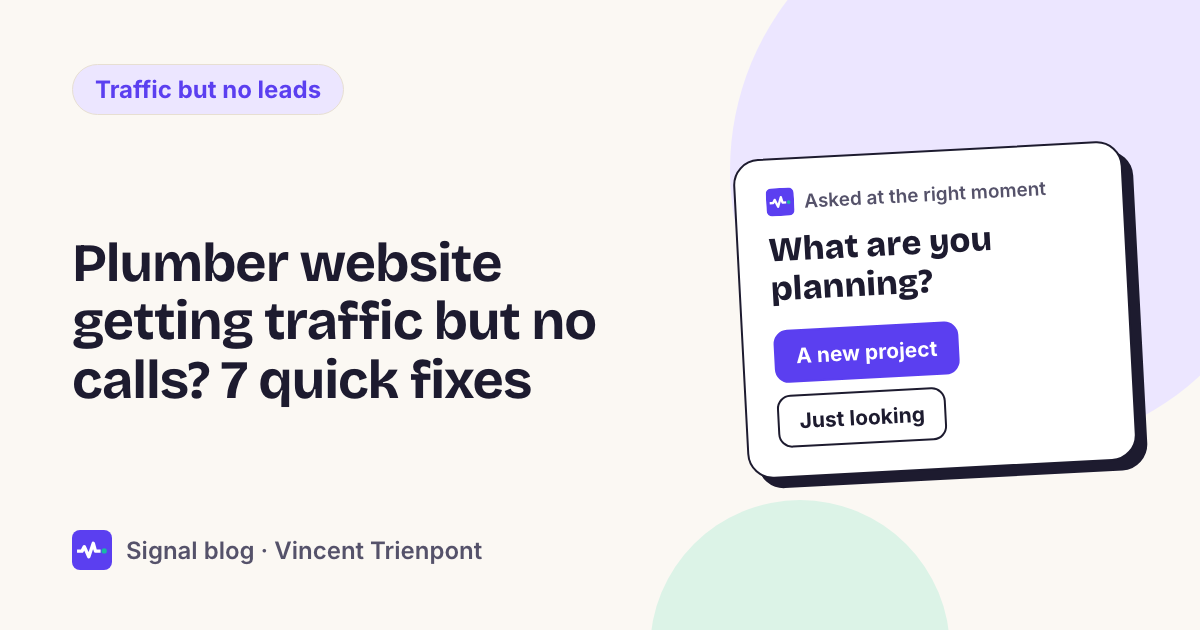
When the visit doesn't make it clear what someone needs, the visitor is asked one question, with answers to tap: "How soon do you need someone?" The answers are Right now, Today, This week and Just planning.
- Right now or today, with a leak, boiler or drain problem: "Need someone today? We can help." with three buttons: Call us now, Call me back (as soon as possible, this afternoon or this evening, with a name and postcode) and WhatsApp us a photo.
- Planning a new installation: "Planning some work? Send us a photo or ask for a quote." The quote form asks for a name, an email and a postcode.
- After a quote request: if the visitor hasn't booked or asked for a call back, a short check-in email goes out the next day, with a "Call us now" button. (Follow-up emails come with the Growth plan and up.)
The plumber gets an email when someone asks for a call back, leaves a way to reach them or sends the form, with the postcode and what they need.
Where Signal fits
That example is what Signal for local trades does. A small script on your site reads each visit (the pages read, where the visitor came from, whether they've been before), asks your question when the answer would change what to offer, and gives each visitor the right door. It never stores IP addresses. You can run it in shadow mode first: it shows what it would have done on your real traffic, without visitors seeing anything. Plans start at €39 a month, enough for 5,000 visitors; see pricing.
It won't fix checks 1, 3, 4 or 7. If the visitors aren't local, the calls go to your Google profile, or the page doesn't say where you work, start there. No tool on the page changes that.
When this isn't your problem
- The traffic is tiny. With a handful of visits a day, there's no pattern to find. Spend the afternoon on your Google Business Profile and asking happy customers for reviews instead.
- You're getting calls, just the wrong ones. People outside your area or wanting jobs you don't do. That's fix 4: say what you do and where, plainly, on every page.
- Your leads come from lead-selling sites. Those leads go to several plumbers at once. Your own site is slower to build, but the people who call are calling only you.
For the same diagnosis for any business, not just trades, see website traffic but no leads. For seasonal offers without a webshop, see Black Friday for service businesses.