What does Google say about popups?
Since January 2017, Google has said that pages "may not rank as highly" on mobile when the content isn't easy to reach from the search results. Its examples:
- a popup that covers the main content, straight after someone arrives from Google or while they're reading;
- a full-screen page the visitor has to close before seeing the content.
Not affected: popups required by law, such as cookie notices and age checks, and "banners that use a reasonable amount of screen space and are easily dismissible". Google's current guide says intrusive popups "may frustrate" visitors "and erode their trust", and suggests small banners instead, also for newsletter sign-ups.
Google calls this one signal among hundreds, so a popup won't sink your shop on its own. But it still appears on Google's page experience checklist in 2026, and Black Friday is when your product pages most need to rank.
What do shoppers think of them?
Usability researchers keep finding the same thing:
- Baymard Institute tested shops and saw people close overlays shown when a page opens without reading them; some called them "spam". It found such overlays on 40% of the 50 shops it benchmarked, and recommends never showing one on page load. Overlays the shopper opens themselves are, in its words, "absolutely fine".
- Nielsen Norman Group advises: "never show a popup before users can glean value from your website". It also says a dialog is justified when it asks for something that saves the user effort.
- Coalition for Better Ads, with research among more than 66,000 people including Europeans, ranks pop-ups among the least accepted experiences on both desktop and mobile. That research is about adverts, but the format is the same.
And never interrupt checkout: Baymard lists newsletter popups among the things to remove from it.
How many people actually sign up?
The two largest popup datasets we could check:
- Omnisend, 1.24 billion popup views in 2025: on average 2.1% of views left an email, down from 2.3% the year before, while the number of popups shown grew by 54%.
- Wisepops, about 1 billion views of sign-up popups: an average of 4.82%.
So in both, at least 95 of every 100 popup views end without an email. When the popup appears makes a big difference:
Omnisend's data points the same way: popups shown within the first second converted at 1.9%, against 2.4% for ones shown after 6 to 10 seconds. Both are popup vendors measuring their own customers' campaigns, so treat the figures as a guide, not a forecast for your shop.
Do countdown timers help?
Not on average, and they carry a legal risk. In Omnisend's data, popups with a countdown converted at 1.9%, against 2.1% without one.
Under the EU's Unfair Commercial Practices Directive, saying an offer is only available for a very limited time when it isn't is banned in all circumstances. The European Commission's guidance names "fake timers and limited stock claims on websites" as examples. It adds that repeatedly nagging people to do something can count as an aggressive practice, which is worth remembering before showing the same popup on every page.
This is enforced. In a 2023 sweep, consumer authorities checked 399 online shops and found manipulative designs on 148 of them; 42 used fake countdown timers. An earlier study of about 11,000 shopping sites found 157 timers that reset or kept running after the deadline. The EU is also preparing a Digital Fairness Act on these practices, expected from the Commission at the end of 2026.
A real deadline, such as "the offer ends on Monday 30 November at midnight", is fine. A timer that restarts for every visitor isn't. For the price side of Black Friday offers, see the EU 30-day price rule.
The alternative: one question, when it helps
The research above points the same way: shoppers accept being asked when the question helps them, and resent being stopped before they've seen anything. Researchers Häubl and Trifts found in a controlled experiment that a shop that asked people what they wanted and narrowed the choice for them helped them make better decisions with less effort.
For Black Friday, that could be one question once someone has looked at a few products:
- "Who are you shopping for?" Myself, a gift, not sure yet. Then show gift ideas or the delivery date for Christmas.
- "What's your budget?" Then show products in that range, rather than the full catalogue.
- "Want to hear when the sale starts?" Only to people who came back more than once, with an honest yes or no. See how to build a Black Friday early-access list in 4 weeks.
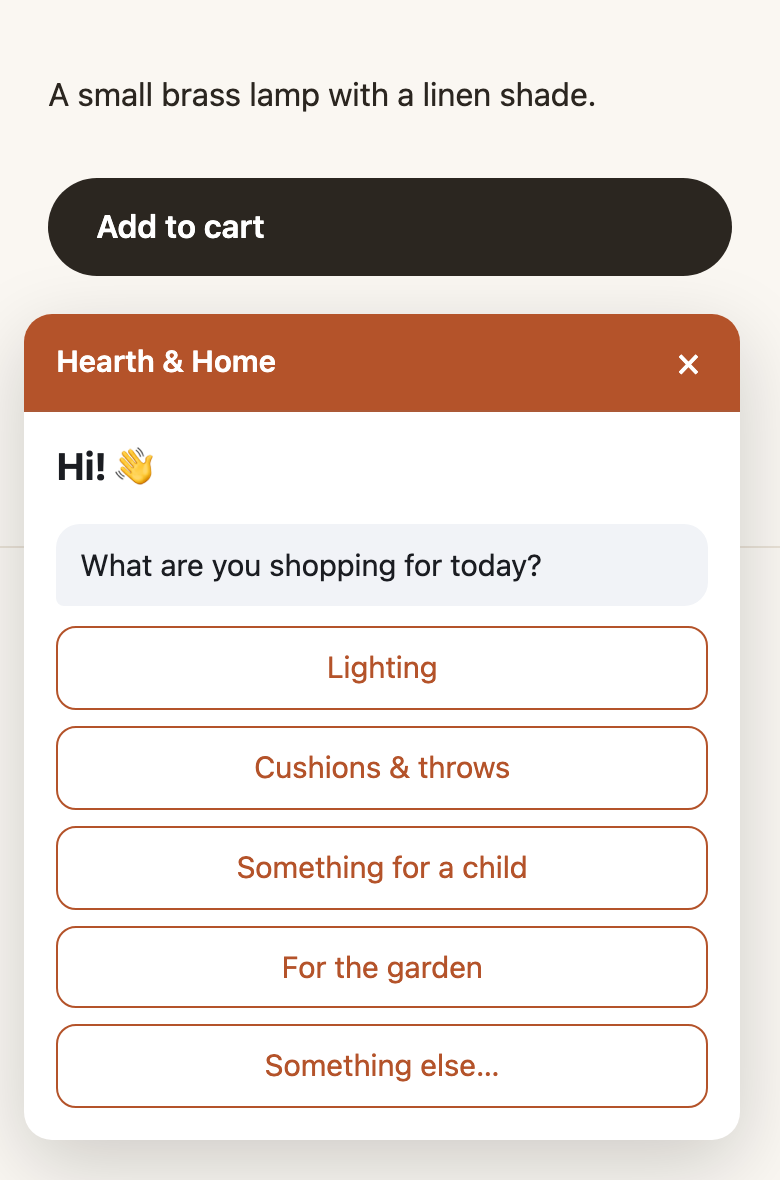
That's how Signal works. It reads what a visitor does on your shop, and only when it's unsure what they want and the answer would change what to show, it asks one of your questions in a small window in the corner. It never asks the same thing twice and waits after a "no thanks". Then it shows the products, offer or delivery information that fits the answer. See how it works.
When is a popup still the better choice?
- You need an email list fast and your visitors mostly know you already, such as returning customers.
- The offer is the same for everyone, so there's nothing worth asking first.
- You show it later and let people close it easily, for example after some scrolling or on a second page, and never at checkout.
If you do use one, keep it small on mobile, use a real deadline or none, and show it once. For offers that protect your margin, see Black Friday without big discounts, and for the weeks before the day, the 5-week Black Friday plan for small shops.